FLORA Weekly
No. 046,
In-Node Generation History
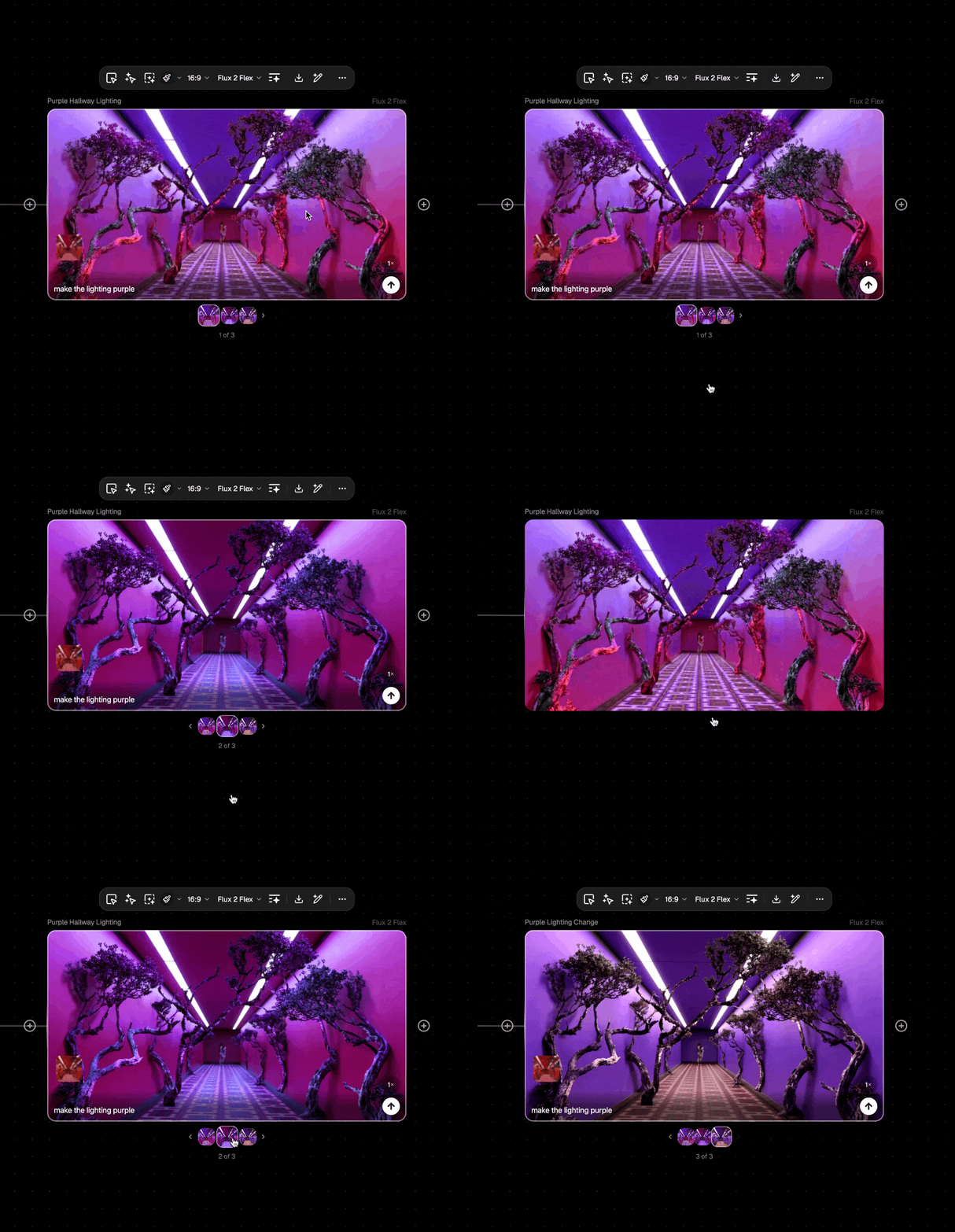
Every node now remembers its history. Browse, compare, and reuse previous outputs without cluttering your canvas or losing that perfect variation from three iterations ago.
📦 New
In-node generation history
Every node stores up to 100 past generations.
MoreLess
Scroll through them in a carousel, navigate with keyboard shortcuts or trackpad gestures, and duplicate or export any result from the new menu.
Default variation behavior
Choose how variations work for you.
MoreLess
Head to Project Settings → Preferences → Variation Behavior to set whether new generations appear on canvas or stay in-node by default. Switch anytime based on how you like to work.
Updated full-screen view —
Hit 'F' on any block to see an expanded view that includes asset metadata, like file size, resolution, credit cost, and more.
MoreLess
This view also has a grid view so you can view all assets from one node.