

3D work built for speed
Generate a 3D asset from a single image. Set the scene, view it in 360, turn the object around, and never leave the canvas.
Visualize your asset in 3D from a single image
3D node in FLORA is great for different verticals and different assets needed. Give it an input image and choose from different 3D models to generate your asset.
Run it on your own image →
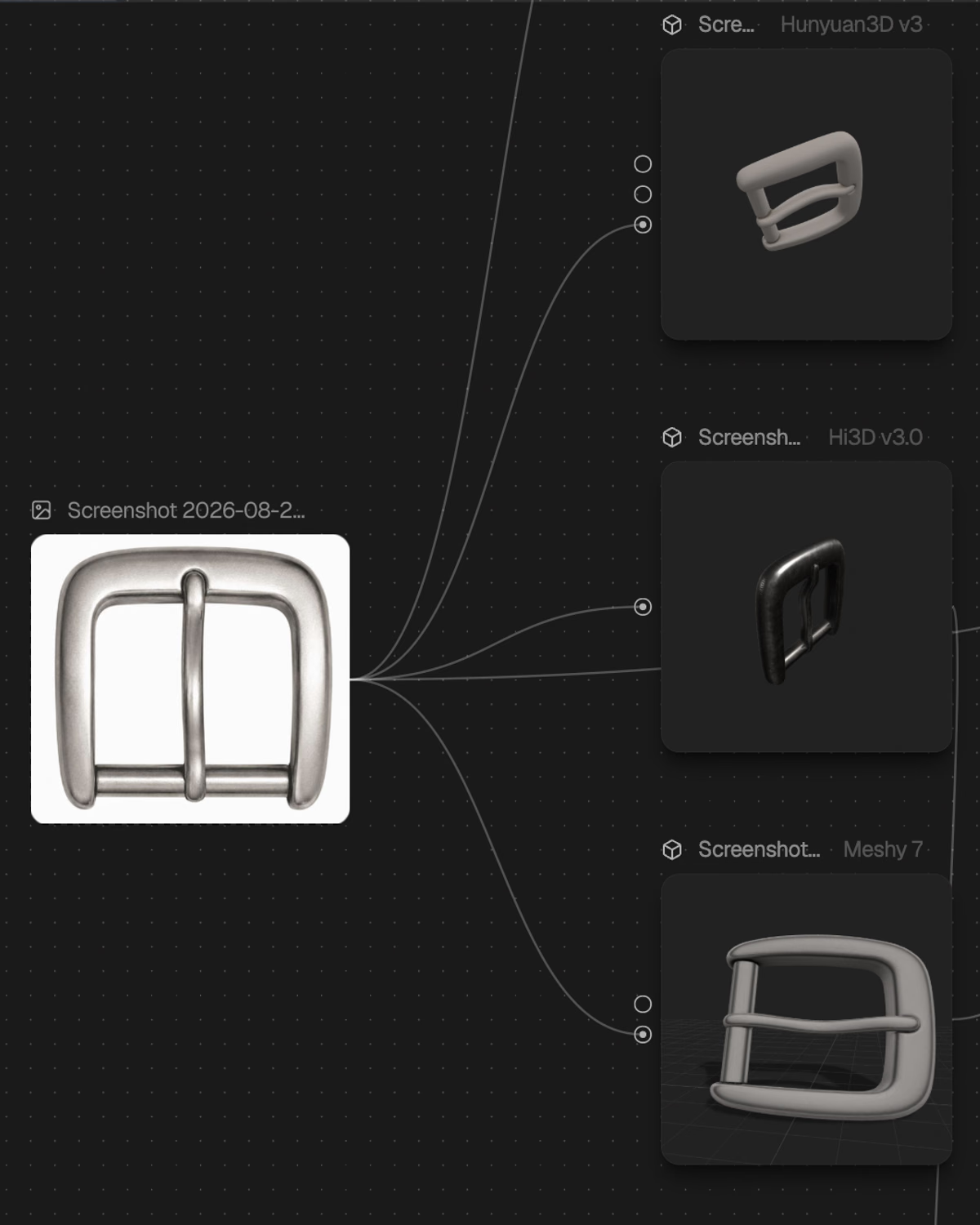
From one imageto a real 3D look
Create 3D assets in your workflows, with powerful control options throughout the process.
- Image or text in
- Start from a reference, or from nothing but a description.
- Every angle out
- Turn it all the way round and capture any view.
- Compatible export formats
- GLB out for any pipeline, plus scene capture straight to image or video.
3D node is built to work with the FLORA MCP
FLORA's MCP works perfectly with the 3D node to allow you to generate the asset, bring it over to Blender or Unity, all in a single seamless flow with your Claude or ChatGPT.
Explore the FLORA MCPEvery 3D model you can pick from
Image to 3D
One reference frame, or several
- Meshy 7
The default. Budget, quads, auto-rig, one clip.
- Rodin v2.5
Strong on hard-surface and product shapes.
- Trellis 2
Structure, shape and texture tuned apart.
- Tripo H3.1
Fast, single-image or multi-view.
- Hunyuan3D v3.1 Rapid
Quickest route to a rough mass.
- Hi3D v3.0
Single-image or multi-view reconstruction.
- SAM 3D
Segment-anything reconstruction from one frame.
Text to 3D
No reference image at all
- Rodin v2.5
Prompt straight to a textured mesh.
- Tripo H3.1
Prompt to model, built for speed.
- Hunyuan3D v3.1 Rapid
Prompt to a fast draft mass.
Mesh to mesh
Rework a model you already have
- Meshy 5 Remesh
Retopologise without regenerating.
- Tripo Remesh
A cheaper pass over existing geometry.
- Meshy 5 Retexture
New surfaces on the same mesh.
Frequently asked questions
Everything else worth knowing before you talk to our team.
Open the 3D NodeWhat is the 3D Node?
A node on the FLORA canvas that makes and holds 3D models. Give it an image or a prompt and it returns a closed, textured mesh. Give it a GLB you already own and it brings that on instead.
Because it is a node, it sits beside the image and video work already in your project, and a capture of a model is an image node like any other.
Which 3D models can I use?
Twenty-four, across three directions. Image to 3D covers Meshy 6 and 7, Rodin v2.5, Trellis and Trellis 2, Hunyuan3D, Tripo H3.1, Hi3D and SAM 3D, most in single-image and multi-view. Text to 3D covers Meshy 6, Rodin, Tripo and Hunyuan3D. Mesh to mesh handles remeshing.
The model is a choice you make per generation. If a shape comes back wrong from one, run the same input through another.
Can an agent use the 3D Node?
Yes, and it was built for that. A GLB is meaningless to a language model — five megabytes of mesh is roughly 1.7 million tokens and tells it nothing. So a 3D generation over MCP returns text metadata, one to three rendered previews, and a link to the file. The renders are how the model judges whether the mesh came out right, and an asset id is all it needs to wire the result into the next step.
GPT-6 Astra and any other MCP client can call it today. One caveat: previews come from the generation provider, so a few models return none.
Can I control topology and polygon count?
Yes, and it is usually the first thing a real pipeline asks. Set a budget from 100 to 300,000 polygons and have the result remeshed to it, choose triangles or quads, and control whether generation enforces symmetry. For characters you can auto-rig a humanoid skeleton and attach one animation clip in the same call.
Do I need to own 3D files already?
No. That was true of the first release, which could only import and view. Generation from an image or a prompt is live now, so you can make a model from nothing but a description. Importing still works and is still the right route when the object already exists.