
What's the best way for an in-house design team to use AI?
Use AI for the production work that follows an approved idea, and keep the idea itself with the team. In FLORA, one approved key visual can be reframed into every placement size on a shared canvas. Our run turned a 16:9 campaign image into 9:16, 1:1 and 3:4 versions in about 30 seconds for $0.192, with the objects, light and color carried across.
Key takeaways
- The best first job for AI on an in-house team is resizing an approved key visual into every placement.
- FLORA reframed one 16:9 image into three new aspect ratios in about 30 seconds, all running in parallel.
- Each reframe cost $0.064 on GPT Image 2.5 Flare; the original key visual cost $0.055.
- A reframe re-renders the frame, so a pixel-locked approved image should be cropped or padded instead.
- Every version stays on one FLORA canvas, wired to the source, so the team can see where each file came from.
At a glance
| What it does | Turns one approved key visual into every placement size |
|---|---|
| Works in | The FLORA canvas, or any agent with the FLORA MCP |
| Model | GPT Image 2.5 Flare, text-to-image and image-to-image |
| Inputs | One key visual and a list of placements |
| Outputs | One image per aspect ratio: 9:16, 1:1, 3:4, 16:9, 21:9 and more |
| Typical cost | $0.064 per reframe |
| Typical time | About 30 seconds for a full set, run in parallel |
What you need
- A FLORA project for the team, or an agent with the FLORA MCP installed.
- The approved key visual, on the canvas or as a link.
- The placement list: each channel and its aspect ratio.
- For technology and product companies, FLORA's technology page covers team use across product marketing.
Key features
- Generative reframing: The model rebuilds the scene in the new shape instead of adding bars or cropping out the subject.
- Wired references: Each reframe is a canvas node connected to the key visual it came from.
- Parallel runs: Every aspect ratio is sent at once, so a set takes about as long as one image.
- Shared canvas: Designers, writers and reviewers open the same FLORA project and see the same files.
- Agent access: The same job runs from Claude, ChatGPT, Cursor or Codex through the FLORA MCP, using the FLORA image resize skill.
Best for
- Resizing a campaign key visual for web, social, email and print placements
- Building on-brief variations of an approved image for regional or seasonal versions
- Exploring layout and composition options before a shoot
- Producing placeholder imagery for decks and design reviews
- Keeping a record of every version next to its source on one canvas
Step by step
Step 1: Put the approved key visual on the canvas
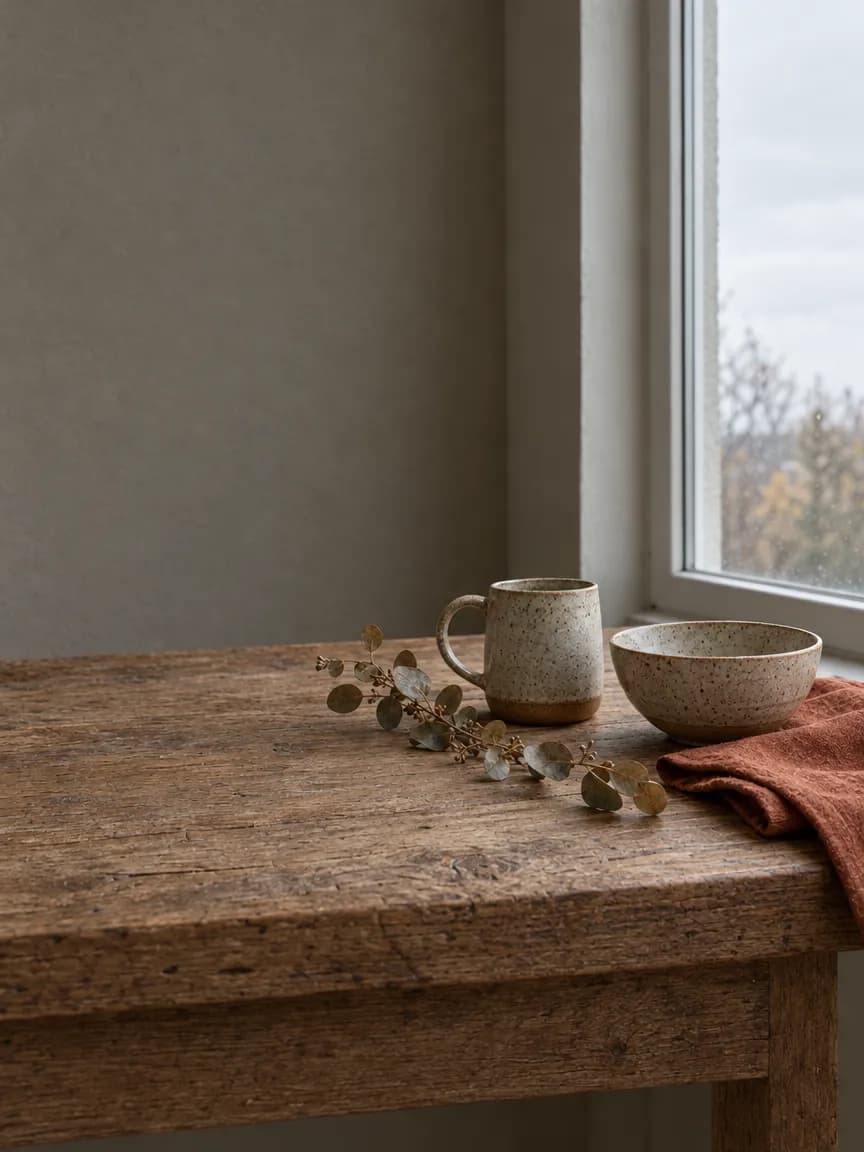
Drop the image into a FLORA project, or make it there. In our run the key visual itself came from FLORA: a stoneware mug and bowl on an oak table by a window, made with GPT Image 2.5 Flare at 16:9.
Autumn campaign key visual for a small ceramics homeware brand: a stoneware mug and a matching speckled bowl on a weathered oak table by a north-facing window, a sprig of dried eucalyptus, a folded linen napkin in rust. Overcast daylight, soft natural shadows, muted earthy palette of oatmeal, rust and slate. Wide composition with calm empty space on the left third for a headline. Photographic, true-to-life color, 50mm, no text.Step 2: List every object that has to survive
A reframe re-renders the whole frame, and the model drops what the prompt does not name. Write down the subject, each prop, the surface, the light and the color grade, then put that list into one prompt per aspect ratio.
Step 3: Send every aspect ratio at once
Wire the key visual into one image-to-image node per placement, or ask your agent to do it, and run them together. Change only the aspect ratio and the line about where the scene extends.
Reframe this image from 16:9 to 9:16. Keep the speckled stoneware mug, the matching bowl, the dried eucalyptus sprig, the rust linen napkin, the weathered oak table, the window, the overcast light and the muted color grade exactly as in the source. Extend the scene into the revealed top and bottom, continuing the plaster wall above and the oak table front below, leaving calm space at the top for a headline. Do not restyle, recolour, or replace the objects. No text.Step 4: Review the set side by side
Tick off every prop in every version, check the scale of the product in the tall formats, and rerun only the version that misses. Then hand the files to layout for type.
What did an in-house design workflow look like in FLORA?
On October 16, 2026, we made the key visual with t2i-gpt-image-2-5-flare at 16:9, quality high, resolution 1k. It took 26 seconds and cost $0.055. The result: a speckled mug and bowl on a worn oak table, eucalyptus and a rust napkin, flat overcast window light, all in the muted palette the prompt asked for.
Following the FLORA image resize skill (flora-image-resize), one flora_create_generations call then sent three reframes with i2i-gpt-image-2-5-flare: 9:16, 1:1 and 3:4, each with the key visual wired in through reference_node_ids. All three finished between 27 and 32 seconds after submission, at $0.064 each, so $0.192 for the set and $0.247 including the key visual.
Every version kept the mug, bowl, eucalyptus, napkin, table and window, and the light and color matched the source. The 1:1 and 3:4 versions moved the camera back slightly and showed more plaster wall, which leaves room for type.
What went wrong: in the 9:16 version the mug and bowl stayed the same width as in the 16:9 frame, so on a phone screen they sit small in the lower third under a tall wall. The fix is one more line for that ratio, such as "scale the mug and bowl up so they fill the lower half of the frame", and a rerun of only the 9:16 version.
- Model
- GPT Image 2.5 Flare (text-to-image, then image-to-image)
- Tools called
- flora_create_generations, flora_list_generations
- Skill
- flora-image-resize
- Cost
- $0.055 key visual, $0.192 for 3 reframes
- Time
- 26 s for the key visual, 27 to 32 s for the reframes
| Placement | Aspect ratio | What to watch |
|---|---|---|
| Website hero | 16:9 or 21:9 | Empty space on one side for the headline |
| Stories and Reels | 9:16 | Product scale in the lower half; safe zones top and bottom |
| Square feed post | 1:1 | Subject centered with room around it |
| Portrait feed post | 3:4, then crop to 4:5 | Ask for 3:4 and trim to 4:5 in layout |
| Email header | 2:1 or 3:1 | A calm band of background for copy |
Which design work should stay with the team?
The idea, the type, the layout and the final call on what ships. AI in FLORA is fastest at the volume work around an approved direction: resizes, variations, placeholders and options to react to. The team still decides which version is right and finishes it.
When should we crop instead of reframing?
When the image is already signed off pixel by pixel, such as a legal-approved pack shot or a licensed photo. A reframe rebuilds the whole frame, so small details can change. Crop or pad those images instead, and use reframing for images the team can still review.
How do we keep the set on brand?
Name everything that must not change in each prompt, keep every version on the same canvas as its source, and review the set side by side before export.
- Write one shared style line (light, palette, lens) and reuse it in every prompt.
- Wire the approved image into every new version as a reference.
- Rerun one version at a time with a specific note when it drifts.
Frequently asked questions
Can AI resize a campaign image without cropping it?
Yes. FLORA reframes the image into the new aspect ratio with an image-to-image model, extending the scene instead of cutting it. Our three reframes took about 30 seconds and cost $0.064 each.
Does the whole team need to use an agent?
No. Designers can run the same job on the FLORA canvas by hand. Agents with the FLORA MCP are useful when someone wants to send a long placement list in one message.
Which aspect ratios can FLORA make?
GPT Image 2.5 Flare in FLORA supports 1:1, 4:3, 3:2, 16:9, 21:9, 9:16, 3:4, 2:3, 2:1 and 1:2. For 4:5, make 3:4 and trim it in layout.
How much does a full placement set cost?
Our three reframes cost $0.192 in total on GPT Image 2.5 Flare, plus $0.055 for the key visual.