
How can performance marketers use AI to make ad variations?
Start from one product image, hold the product and the style fixed, and change one thing per variation, such as the setting. With the FLORA MCP, an agent sends every variation to FLORA in one batch. Our six 9:16 ad variations of one water bottle came back in 40 seconds for $0.384, each keeping the same bottle in a different scene.
Key takeaways
- Change one variable per batch, such as the setting, so a test tells you which variable moved the result.
- Our six 9:16 variations finished within 40 seconds of each other, because the batch ran in parallel.
- Each variation cost $0.064 on GPT Image 2.5 Flare, $0.384 for six, plus $0.055 for the base product image.
- Referencing the product image keeps the product the same in every scene; check the finish and scale in each one.
- The FLORA batch generate skill sends up to 20 variations per call.
At a glance
| What it does | Turns one product image into a batch of ad variations |
|---|---|
| Works in | Claude, ChatGPT, Claude Code, Cursor, Codex and the FLORA canvas |
| Model | GPT Image 2.5 Flare, image-to-image |
| Inputs | One product image and a list of scenes or angles |
| Outputs | One image per row, in 9:16, 1:1, 16:9 or other ratios |
| Typical cost | $0.064 per variation |
| Typical time | About 30 to 40 seconds for a batch of six |
What you need
- An agent with the FLORA MCP installed: Claude, ChatGPT, Claude Code, Cursor or Codex.
- A clean product image, on the FLORA canvas or as a public link.
- A list of variations: one row per scene, angle or hook.
- For ecommerce brands, FLORA's ecommerce page covers catalog and campaign work.
Key features
- Batch generation: Up to 20 variations go to FLORA in one call and run at the same time.
- Reference-locked product: Each variation is generated from your product image, not from a text description of it.
- One shared style line: The light, palette and framing sit in one sentence that every prompt repeats.
- Per-item cost: Each run reports its own cost in dollars, so the batch total is exact.
- Single reruns: A variation that misses is rerun alone, without paying for the rest again.
Best for
- Creative testing on Meta, TikTok and other paid social placements
- Refreshing creative when a winning ad starts to fatigue
- Testing settings, audiences and use cases against one product
- Making the same concept in every placement size
- Filling a creative calendar from a spreadsheet of hooks
Step by step
Step 1: Get one clean product image on the canvas
Use your packshot, or make one. Our run started from a sage-green insulated bottle on plain grey, made in FLORA with GPT Image 2.5 Flare at 1:1 for $0.055.
Step 2: Write one style line and one row per variation
The style line holds everything that should stay the same across the test: the product, the light, the framing, the space for a headline. Each row changes one thing. In our run that was the setting.
Keep this exact sage-green bottle and brushed steel cap identical, no logo. Vertical social ad photo, natural true-to-life light, muted color, product sharp in the lower half, calm space in the top third for a headline, no text. Scene: on a gym bench beside a folded towel and a pair of dumbbells, light from high windows.Step 3: Send the whole list as one batch
Ask the agent to make one variation per row with the product image as the reference. It sends every row to FLORA together and polls the batch once.
Using the bottle on my FLORA canvas, make one 9:16 ad image per scene below with GPT Image 2.5 Flare, all in one batch: hiking rest stop, home office desk, gym bench, car cupholder, backpack pocket on a train, kitchen counter with lemons. Use the same style line for every scene.Step 4: Check each variation, then rerun only the misses
Look at the product finish, scale and placement in every image before anything goes into the ad account. Fix a miss with one specific note and rerun that row alone.
Step 5: Add copy and upload
Put the headline and offer on in your ad tool or design file, using the empty top third. Keep the scene name in the file name so results map back to the variable you tested.
What happened when we made ad variations from one image in FLORA?
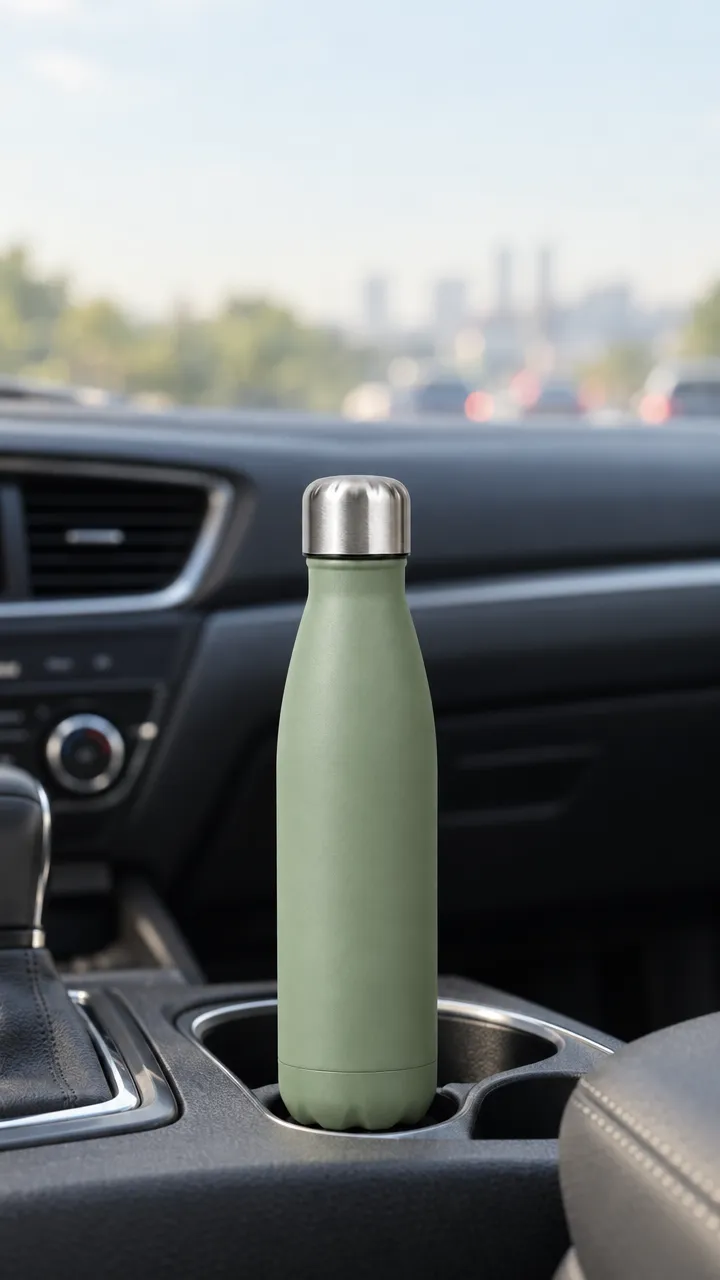
On October 16, 2026, following the FLORA batch generate skill (flora-batch-generate), the agent sent six variations in one flora_create_generations call. Each item used i2i-gpt-image-2-5-flare at 9:16, quality high, resolution 1k, with the base bottle image in reference_node_ids and the same style line. Only the scene changed: a trail rest stop, a home office desk, a gym bench, a car cupholder, a backpack pocket on a train and a kitchen counter.
One flora_list_generations call polled all six run ids. They finished between 27 and 40 seconds after submission, at $0.064 each, so $0.384 for the batch and $0.439 including the base image.
The bottle kept its sage color, steel cap and shape in all six scenes, and four of them placed it upright in the lower half with clear space above, as the style line asked.
What went wrong: two rows missed. In the kitchen scene, "condensation on the bottle" came out as a speckled texture across the whole surface, which reads as a different finish. In the train scene the bottle sat small and to the left in a backpack pocket. The fixes: drop the condensation line, add "bottle centered and filling the lower half" to the train row, and rerun those two rows only.
- Model
- GPT Image 2.5 Flare (image-to-image)
- Tools called
- flora_create_generations, flora_list_generations
- Skill
- flora-batch-generate
- Cost
- $0.384 for 6 variations
- Time
- 27 to 40 s, in parallel
| Variable | What changes per row | What stays fixed |
|---|---|---|
| Setting | Where the product is used | Product, light, framing, headline space |
| Angle | Front, three-quarter, top-down, in hand | Setting, light, framing |
| Audience | Who is using the product | Setting type, light, product scale |
| Season | Weather, light and props for the time of year | Product, framing |
| Placement | Aspect ratio: 9:16, 1:1, 16:9 | The whole image |
Image-to-image from a product image or text-to-image from a description: pros and cons
Pros
- Image-to-image: the product's color, shape and parts carry into every variation.
- Image-to-image: a test measures the scene, since the product does not change.
- Text-to-image: no product image needed, useful for testing a concept before a product exists.
- Text-to-image: slightly cheaper per image on GPT Image 2.5 Flare ($0.055 against $0.064).
Cons
- Image-to-image: needs a clean product image first.
- Text-to-image: the product changes from image to image, which muddies a creative test.
- Both: small marks such as logos and printed text need a human check before launch.
How many variations should I make per test?
Make enough rows to cover the variable you are testing, and no more. Six settings for one product, as in our run, is a common starting set. Each batch can hold up to 20 variations, so a larger list goes in more than one call.
Can I run this from a spreadsheet?
Yes. A coding agent such as Claude Code, Cursor or Codex can read a CSV with one row per variation, build the prompt from the style line plus the row, send the batch to FLORA and save each image under the row's name. That name is what you tag the ad with later.
What should I check before an image goes into the ad account?
Check each image against the original product, not against the other variations.
- The product color, finish and parts match the original.
- The product is large enough to read on a phone.
- The headline space is clear and outside platform safe zones.
- No stray text, logos or hands in odd places.
Frequently asked questions
How much does a batch of ad variations cost?
Our six 9:16 variations cost $0.384 on GPT Image 2.5 Flare, $0.064 each. The agent can ask FLORA for a quote in dollars before it runs.
Can AI make video ad variations too?
Yes. Ask the agent to animate the winning still with a video model such as Seedance 2.5. Video costs more per item than images, so animate the variations that test well.
Will the product look the same in every variation?
It stays close when the product image is wired in as the reference. Check the finish and scale in each image; our kitchen variation changed the bottle's finish and needed a rerun.
Which agents can run the batch?
Any agent with the FLORA MCP: Claude, ChatGPT, Claude Code, Cursor, Codex and other MCP clients.