
How do I compare AI image models side by side?
Send one prompt to several models in a single FLORA batch, with the same aspect ratio, and judge the results next to each other on the FLORA canvas. We ran one coffee-bag prompt through five models in one call. All five came back within 57 seconds for $0.447 in total.
Key takeaways
- One flora_create_generations call can send the same prompt to up to 20 different models.
- Five models on one prompt cost $0.447 in our run, from $0.05 for FLUX 3 Image to $0.17 for Seedream 5 Pro.
- Run times ranged from 22 seconds (Nano Banana 2.1, Ideogram 4.5) to 57 seconds (Seedream 5 Pro).
- All five spelled the label NORTH FIELD ROAST correctly; they differed on extra text, contrast and framing.
- Output sizes differ by model, from 1152 x 864 to 2304 x 1728 at the same 4:3 ratio.
At a glance
| What it does | Runs one prompt through several image models at once |
|---|---|
| Works in | Claude, Claude Code, Cursor, Codex and the FLORA canvas |
| Models | Any FLORA image model; we tested GPT Image 2.5 Flare, Nano Banana 2.1, FLUX 3 Image, Seedream 5 Pro and Ideogram 4.5 |
| Inputs | One prompt and one aspect ratio |
| Outputs | One image per model, side by side on a FLORA canvas |
| Typical cost | $0.447 for five models in our run |
| Typical time | Under a minute for the whole set |
What you need
- The FLORA MCP in your agent. Setup for Claude is in the Claude install guide.
- A test prompt that includes the hard part of your real job, such as text, hands or a product
- A short list of models to test, from flora_list_models
Key features
- Many models, one call: Each item in a batch names its own model, so a comparison is a single request.
- Live catalogue: flora_list_models returns every image model with its estimated cost and time.
- Dollar quotes: Quote the whole comparison first; FLORA prices each model before anything runs.
- Side by side on the canvas: Every result lands in the same project, next to the others, with its model name.
Best for
- Choosing a default model before a large batch
- Testing which model renders your packaging or label text cleanly
- Checking a new model release against the one you use today
- Setting a cost ceiling per image for a team
Step by step
Step 1: Write a prompt that tests the hard part
A comparison only tells you something if the prompt contains what usually fails. For packaging that is printed text. For fashion it is hands and fabric. Keep the rest plain so differences come from the model, not the prompt.
A paper coffee bag standing on a cafe counter, its printed label reads "NORTH FIELD ROAST" in simple serif type. Morning window light, muted natural color, shallow depth of field, true-to-life texture.Step 2: Pick the models from the live list
Ask the agent to call flora_list_models for image models and show the estimated cost and time. Pick three to six that fit your budget. Note the model id of each, since the batch needs exact ids.
List FLORA's featured image models with estimated cost and time per image. Then quote my prompt at 4:3 on GPT Image 2.5 Flare, Nano Banana 2.1, FLUX 3 Image, Seedream 5 Pro and Ideogram 4.5.Step 3: Run them in one batch
Send the same prompt and aspect ratio to every model in one call, into one FLORA project. Changing only the model is what makes the comparison fair.
Run that prompt on all five models in one FLORA batch at 4:3, then poll until all are done and give me each model's cost, time and image URL.Step 4: Judge on the canvas, at full size
Open the FLORA canvas and look at the images side by side, then zoom in. Small text, edges and skin are where models differ most, and those details disappear in thumbnails. Write down cost and time next to your pick.
What happened when we compared image models side by side in FLORA?
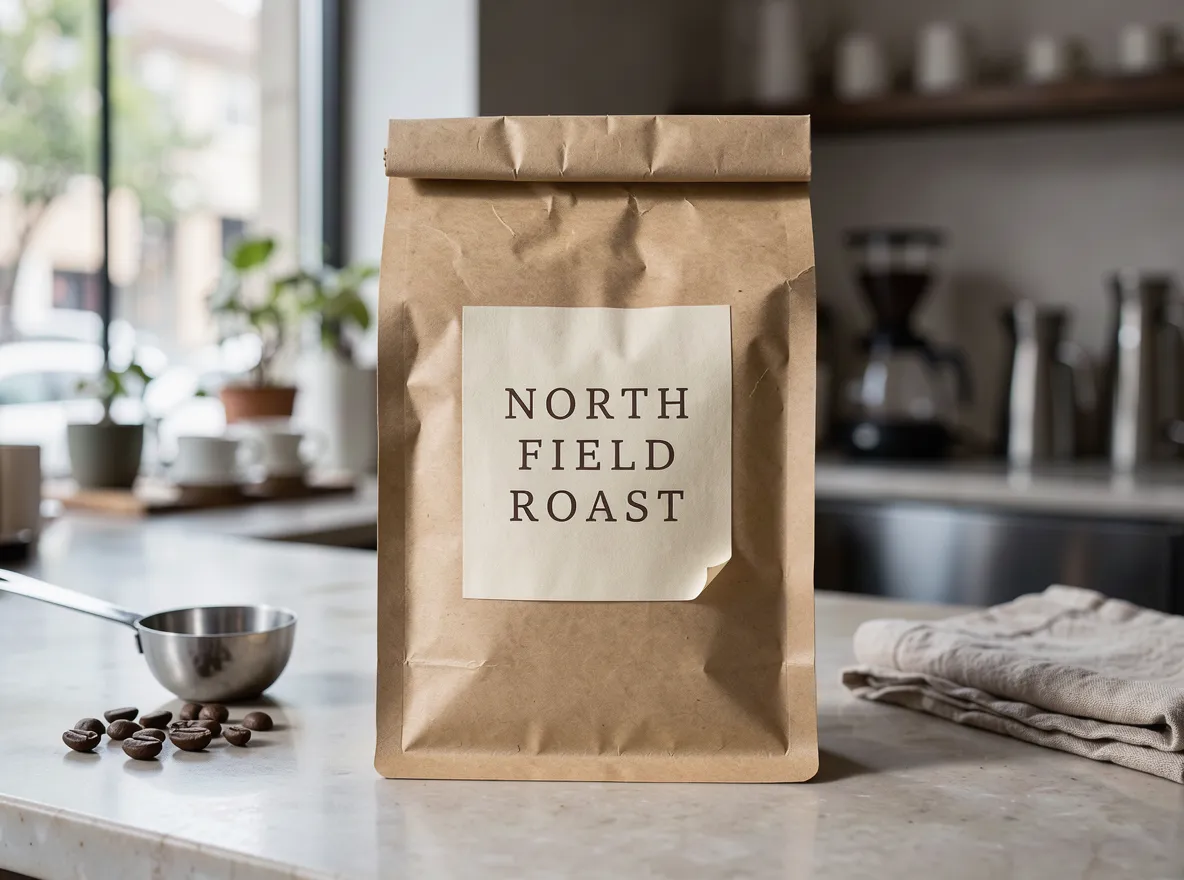
On October 16, 2026, we sent the coffee-bag prompt above to five image models in a single flora_create_generations call from Claude Code: t2i-gpt-image-2-5-flare, t2i-elote-gateway (Nano Banana 2.1), t2i-flux-3-image-t2i, t2i-gengateway-seedream-5-pro-t2i and t2i-ideogram-4-5-t2i, all at aspect_ratio 4:3. A quote call first returned $0.447 for the set. We then polled all five with one flora_list_generations call.
Charges matched the quote: GPT Image 2.5 Flare $0.055, Nano Banana 2.1 $0.052, FLUX 3 Image $0.05, Seedream 5 Pro $0.17 and Ideogram 4.5 $0.12. Run times were 33, 22, 31, 57 and 22 seconds.
Every model spelled NORTH FIELD ROAST correctly. FLUX 3 Image and Ideogram 4.5 printed only the words we asked for. GPT Image 2.5 Flare added legible extra lines we never wrote, "Small batch coffee, roasted in the Northwest" and a weight. Nano Banana 2.1 added small lines of garbled filler text under the name. Seedream 5 Pro set the label in pale type that is hard to read against the white bag.
What went wrong: the prompt did not say "no other text", so two models filled the label with copy of their own. Add that line whenever the exact wording matters, and rerun only the models that added text.
- Models
- 5
- Tools called
- flora_create_generations (quote, then run), flora_list_generations
- Cost
- $0.447 for five images
- Time
- 22 to 57 seconds per model, run in parallel
| Model | Model id | Cost | Time | Output size | Label text |
|---|---|---|---|---|---|
| GPT Image 2.5 Flare | t2i-gpt-image-2-5-flare | $0.055 | 33 s | 1152 x 864 | Correct, plus two invented lines |
| Nano Banana 2.1 | t2i-elote-gateway | $0.052 | 22 s | 1200 x 896 | Correct, plus garbled filler lines |
| FLUX 3 Image | t2i-flux-3-image-t2i | $0.05 | 31 s | 1184 x 880 | Correct, nothing extra |
| Seedream 5 Pro | t2i-gengateway-seedream-5-pro-t2i | $0.17 | 57 s | 2304 x 1728 | Correct, low contrast |
| Ideogram 4.5 | t2i-ideogram-4-5-t2i | $0.12 | 22 s | 2304 x 1728 | Correct, nothing extra |
Batch comparison or one model at a time: pros and cons
Pros
- Batch: every model sees the same prompt at the same moment, so the test is fair.
- Batch: the whole set takes about as long as the slowest model.
- One at a time: you can tune the prompt for each model's quirks before moving on.
Cons
- Batch: you pay for every model, including the ones you rule out.
- Batch: output sizes differ by model, so compare at the same zoom, not the same pixel count.
- One at a time: slower, and easy to change the prompt by accident between runs.
What should I compare besides how it looks?
Cost and time decide what you can afford at volume. In our run the most expensive model cost 3.4 times the cheapest, and the slowest took 2.6 times as long. For a one-off hero image that gap does not matter. For a 500-image catalog it does.
- Accuracy on the hard part: text, hands, product shape.
- Unrequested additions: extra text, props or people.
- Output size at your aspect ratio.
- Cost per image and time per image.
How many models should I test?
Three to six is enough to see a pattern without paying for a full sweep. Start with FLORA's featured image models, which flora_list_models lists first, then add any model you are curious about. Rerun the winner two or three times before you commit, since one result can be lucky.
Can I compare image-to-image edits the same way?
Yes. Pass the same source image to each model's image-to-image version with reference_node_ids, and keep the edit instruction identical. Many FLORA image models have text-to-image, image-to-image and multi-image versions, listed as separate model ids.
Frequently asked questions
Which model was best for text in this test?
FLUX 3 Image and Ideogram 4.5 printed the label exactly as written with nothing extra. All five spelled it correctly, so add "no other text" to the prompt before ruling a model out.
Does comparing models cost extra?
No. You pay each model's normal price. Our five-model set cost $0.447, and FLORA quoted that total before it ran.
Can I compare video models this way?
Yes. Video runs cost more than images, so quote the set first; our quotes for one image-to-video clip ranged from $0.48 to $3.84 across models.