Product
A frosted matte-glass bottle of 'AURA' cold-brew coffee on wet black slate, condensation beading and slowly running down the glass, a single fresh coffee cherry beside it, warm amber liquid glowing from within
Tagline
Aura. Brewed in the dark. Made to wake you.
Motion
condensation beads swell and slide down the glass, the warm amber liquid inside shifting and glowing, faint haze drifting through the rim light
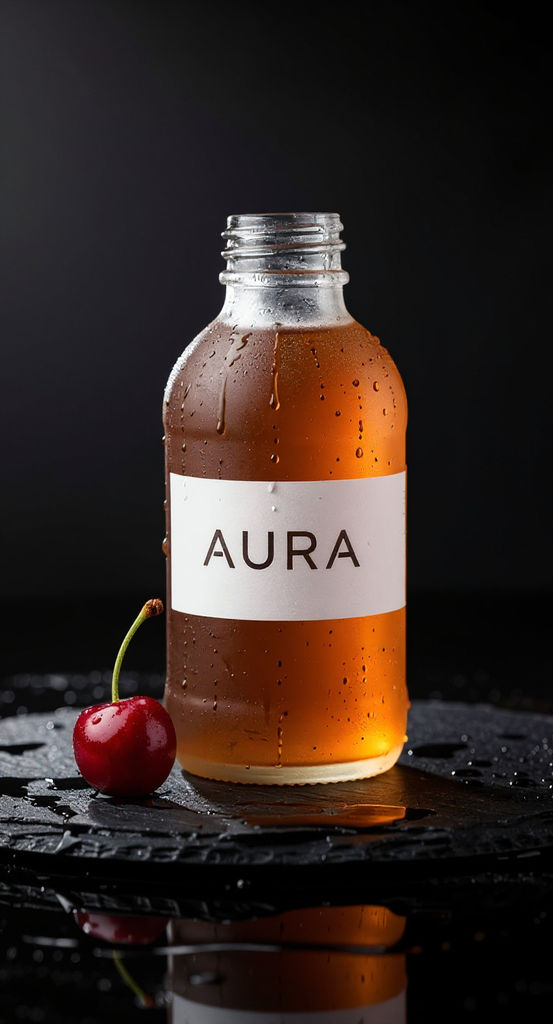
Write a product, a motion, and a tagline to go from text to AI video: two 5-second vertical clips, a hero frame, music, and a voiceover.

Product Launch Teasers
Marketers use AI text to video to turn a product description into a short vertical teaser, with a Pinned Clip that keeps the product steady on screen.

Short-Form Social Drafts
Social creators run this text-to-video gen AI workflow to draft vertical clips for short-form posts, then run it again to compare different takes.

Founder Brand Moments
Founders without a camera or crew use text-to video AI to produce a cinematic product moment with a spoken tagline for a landing page or launch post.
How to use Techniques?
Discover how to utilize Text To Video AI for different scenarios.

Add inputs
Upload images, videos, or type in the prompts to get started.

Generate outputs
Next, hit the "Generate" button to start generating your outputs.

Edit and export
Refine your outputs on canvas, or download them directly.
Frequently asked questions
All you need to know about Text To Video AI
What text to video AI does with a written description
Text to video AI generates a moving clip from a written description, without any footage or camera. You describe a subject and the way it should move, and a video model builds a run of frames that match the description and stay consistent with each other. This Technique applies that process to product shots. A few lines about a bottle of cold brew or a jar of face cream come back as short vertical clips, along with a music bed and a recording of your tagline.
To test it on something you sell, create a free FLORA account and run the Technique with your own product description.
How a video model turns words into motion
Most text-to-video gen AI models begin with a field of random visual noise and clean it up over many small steps, using your text as the guide for what each step should move toward. An image model does the same thing for one frame. A video model has to do it for dozens of frames at once and keep them in agreement over time, so a frosted glass bottle in the first frame is still frosted glass half a second later, and a drop of condensation that starts near the cap keeps sliding downward instead of jumping sideways.
The model picked up those patterns from large amounts of captioned video, which is why it can usually show liquid pouring or a camera pushing in slowly without being told how either one works. It has never seen your particular product, though. When your text leaves something open, such as the typeface on the label or the exact shape of the cap, the model fills the gap with a plausible guess, and that guess may shift a little between frames, with lettering and logos usually moving first.
Why this Technique also builds from a still frame
A common way around that drift is to upload a product photo and animate it, which is usually called image-to-video. This Technique keeps every input as text and adds the image step inside the workflow. It generates a hero frame from your product description, then uses that frame as the starting point for a second clip. Since the model is animating a fixed picture of the product, the label and outline hold steadier than they do in the clip generated straight from your words.
Both clips come from the same run, which is handy when you are still settling on a look. If a logo has to stay readable for the full five seconds, the version built from the hero frame is usually the one to pick. The version made from text alone can still be a useful reference for camera movement and lighting, even if you end up using the other one.
Writing inputs that work for text to AI video
When you write for text to AI video, you are describing a change over time as well as a scene. The model needs to know what moves during the clip and what the camera does while it moves, and the Motion input is where that information goes. It is often the input that changes the result the most from one run to the next.
In the Product input, name the materials and surfaces you want to see. Phrases like brushed aluminum or wet slate point the model toward specific textures. Adjectives such as premium or sleek describe a feeling, and the model has to guess what that feeling looks like, which tends to produce a more generic result.
In the Motion input, stick to one main action. Five seconds is enough time for condensation to run down a bottle or for the camera to circle a sneaker once, but when you ask for several actions they usually get squeezed together or some of them get dropped. If the framing matters to you, add a camera instruction to the same input, for example a slow push-in or a static shot where only the subject moves.
The tagline should be short enough to say comfortably in a few seconds, since the voiceover is meant to sit under a short clip. A single sentence or two short phrases is a reasonable length.
When a run comes back close to what you wanted, try changing one input at a time. If you rewrite the Motion input and leave the Product input as it was, it is much easier to tell which part of the result came from which line.
The many names for the same job
People search for this kind of tool using a lot of different phrases, and most of them describe the same process of turning a written prompt into footage. The most common ones include:
- AI text to video, or text-to video AI, usually from someone who wants a quick clip from one prompt
- an AI text to video generator, which is the wording most tool listings use
- AI video text to video, a looser search that often comes from people comparing video models
- text to movie AI, which tends to come from people hoping for longer, story-driven output
Current models produce short clips, and this Technique returns five-second shots. A longer piece is usually built from several short generations edited together. If you are planning a sequence of shots, the Cinematic Movie Generator and the Storyboard Maker are good places to start. Script-led tools such as HeyGen or Synthesia are built around presenters and narration, and they may suit you better if your video is mostly a person speaking to camera.
Trying free text to video AI before you commit
Many people looking for a text to video AI generator free of charge want to check output quality before they pay for anything. FLORA gives new accounts free credits, so you can run AI text to video free until those credits are used, and the credit cost of this Technique is shown before you press Generate. Each run returns two clips, a hero frame, and two audio tracks, so it is worth deciding what you want to test before you start regenerating.
If you want your free credits to cover more runs, get the Product input right first. Once the hero frame looks the way you want, use your later runs to try different Motion inputs, since that is where most of the variation between runs comes from.
Where to take the clips next
Most finished videos need more work after the first generation, such as choosing between takes or placing the product in other scenes. On the FLORA canvas you can line the clips up with the music bed and voiceover and keep generating from the same product description with other models.
If you want to keep going from here, these pages are closely related:
- Product Animator works from an existing product image, which suits you if you already have a packshot you like.
- Product Motion is another product-focused video Technique that you can compare against these results.
- Video Scene Builder composes scenes from still assets, such as the hero frame from this Technique.
- The AI video generator page covers the wider set of video models available in FLORA.
- The best AI video generators roundup compares tools across the whole category.
Everything you generate for the same product can stay in one FLORA project, so the clips, audio, and any later versions are in the same place when you come back to them.
Related techniques
 Video Scene BuilderCompose video scenes from still assets
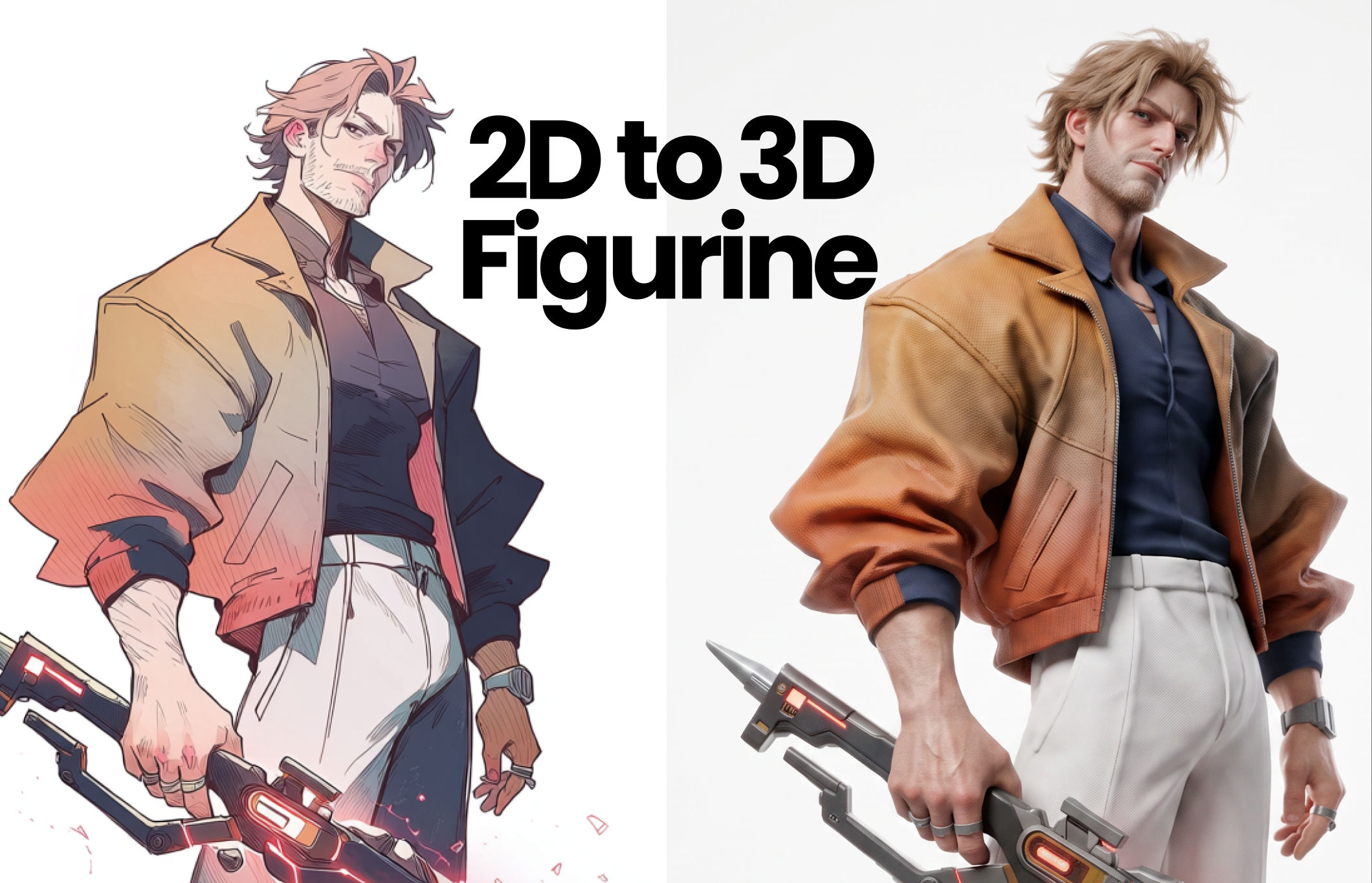 2D to 3D FigurineTurns 2D character art into a hyper-realistic 3D CGI collectible figurine studio-lit, PBR materials, and premium detail, with original colors, pose, and design exactly preserved.
 Album Art VisualizerMake a cool looping video based on your album art image
 Blake Ridder's Cinematic PlateCreate a video in Blake Ridder's Cinematic Style
 Cinematic Sizzle Reel CreatorMake a cinematic fast paced reel out of multiple videos. Technique built by DJ Kim
 DreamscapeCreate dreamy realism images and loop animation backgrounds for tech and SaaS hero sections.
Turn a Product Idea into a Video Clip with Text to Video AI
type a sentence, get a polished, sound-designed 5-second clip. No camera, no crew. Useful for: marketers, social creators, and founders who want a cinematic product/brand moment from a sentence.

Louis Anderson